OBDSTAR MT203 CAN Driver / Gateway Simulator
OBDSTAR MT203 CAN Driver / Gateway Simulator Description:
OBDSTAR MT203 CAN Driver / Gateway Simulator is a professional tool designed for automotive electronics maintenance and repair. It provides CAN drive and gateway simulation functions and supports multiple vehicle models. The compact design makes it a practical and efficient tool for automotive electronic maintenance engineers.
OBDSTAR MT203 Key Features:
- Powered by STM32H723 high-performance MCU for fast operation
- Supports Standard CAN, Low Speed (Fault-Tolerant CAN), and CANFD protocols
- Automatic scanning, manual baud rate selection and custom baud rate configuration
- Integrated design with built-in 120Ω resistor switch
- Simple and intuitive user interface
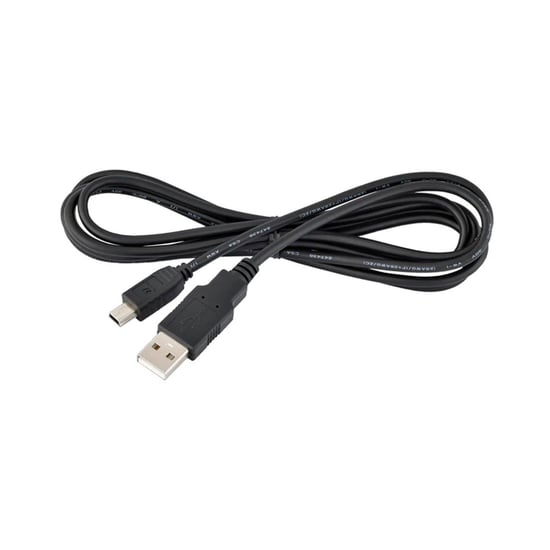
- Mini USB upgrade cable for direct PC connection and one-click upgrade
Background:
1. CAN Drive Function
Modern vehicle modules such as dashboard, audio system, gear lever and handbrake modules rely on CAN communication to enter the working state. When these modules are removed from the vehicle network during maintenance, they may not operate normally. The MT203 can simulate CAN communication to wake up the ECU module and bring it into working state for testing and verification. This eliminates the need for multiple startup platforms and wiring harnesses for different vehicle models.
2. Gateway Function
Many modern vehicles use gateway modules for security and communication efficiency. ECU modules and diagnostic scanners often require a gateway to manage protocol types and baud rates. MT203 can simulate automotive gateways, enabling communication between the diagnostic scanner and ECU modules without requiring the original vehicle gateway.
Applicable Maintenance Scenarios:
- Automotive ECU repair such as Airbag, Dashboard, BCM and other modules (gateway simulation test by bench)
- Bench testing of dashboard, audio, gear lever, AC panel and other modules using CAN drive
- Electric vehicle component repair such as compressor, DCDC and onboard charger modules
Supported Gateway Protocol Types:
Standard CAN / Standard CAN
- 500K / 250K
- 500K / 125K
- Custom Baud Rate
Standard CAN / Fault-Tolerant CAN
- 500K / 83.3K
- 500K / 100K
- 500K / 125K
- 125K / 125K
- Custom Baud Rate
Standard CAN / CAN FD
- 500K / 5M
- 500K / 2M
- Custom Baud Rate
CAN Driver Supported Vehicle Brands:
- Audi
- Mercedes-Benz
- BMW
- Dodge
- Ford
- Jaguar
- Lamborghini
- Land Rover
- Porsche
- Rolls-Royce
- Volkswagen
- Volvo
Supports dashboard, audio, gear lever, AC panel and other module testing functions.
Function Display (via OBDSTAR Mobile App):
- Main Page
- Gear Lever Pinout
- Dashboard Pinout
- Radio Pinout
OBDSTAR MT203 Specifications:
| Processor | STM32H723 High Performance MCU |
| Supported Protocols | Standard CAN, Fault-Tolerant CAN, CANFD |
| USB Type | Mini USB |
| Operating Temperature | -20℃ ~ 55℃ |
| Storage Temperature | -20℃ ~ 70℃ |
| Weight | 285g |
FAQ:
Q: Can the device be upgraded?
A: Yes. Download the One Click Upgrade Tool from the OBDSTAR official website and connect the device to a computer using the USB cable.
Q: Why does automatic scanning fail?
A: Ensure the ECU and diagnostic device are properly connected and powered. Some ECUs may enter sleep mode if not used for a period of time. CANFD currently requires manual configuration.
Q: Where can I check the CAN driver wiring diagram?
A: Wiring diagrams for dashboard, audio and gear lever modules can be accessed via the OBDSTAR mobile application.
Q: What is the purpose of the 120Ω resistor?
A: If the ECU does not include a 120Ω resistor, the device resistor switch must be turned ON for proper CAN communication.
Q: Does MT203 support the FlexRay protocol?
A: No, FlexRay protocol is not supported.